
Blackbox AI Review 2025: The Ultimate Leverage Layer for AI-Powered Development

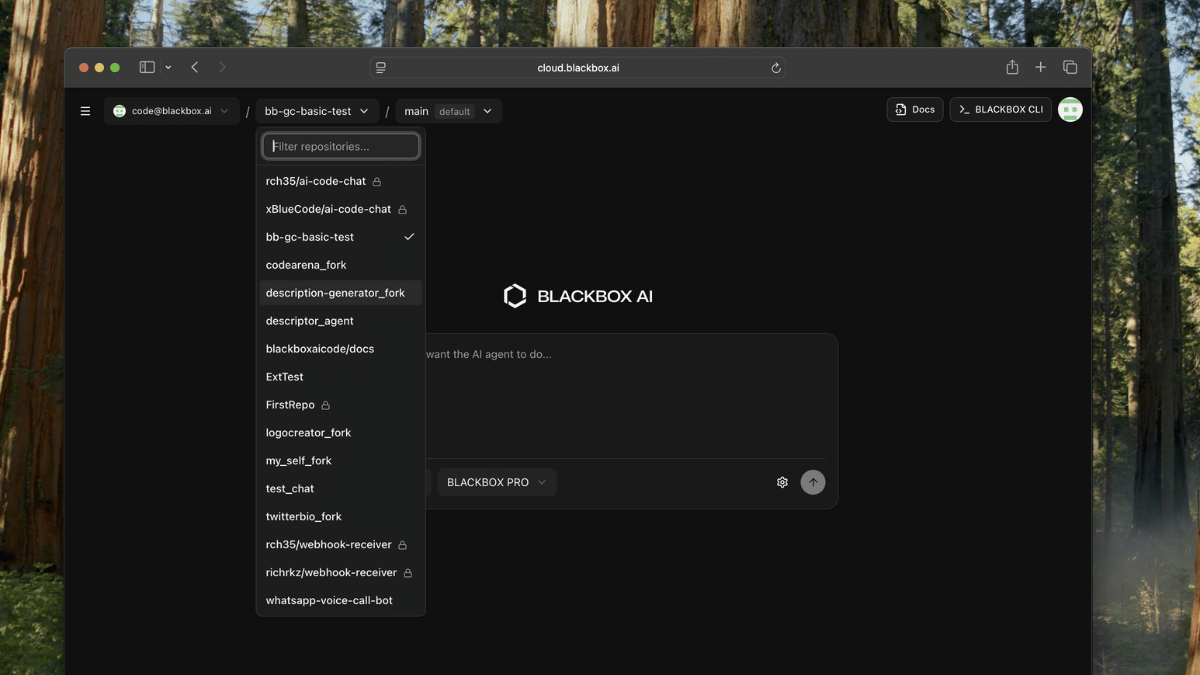
Discover how Blackbox AI transforms coding from manual labor into multiplied output. A no-fluff review through the lens of leverage — how developers use multi-model AI assistance to ship faster, debug smarter, and build more with less effort.
The Problem: Development Speed Is Your Bottleneck
Every developer knows the feeling.
You're staring at a blank file, knowing exactly what you need to build, but the gap between idea and implementation feels like a canyon.
Boilerplate code. Syntax lookups. Debugging sessions that eat hours. Context-switching between documentation tabs. The endless cycle of write-test-fix-repeat.
Traditional development is manual labor disguised as knowledge work.
And the result?
Projects take longer than they should. Deadlines slip. Technical debt accumulates because there's never enough time to do it right. Junior developers struggle while seniors burn out on repetitive tasks.
That's not leverage — that's friction at every step.
That's where Blackbox AI steps in — not as another autocomplete tool, but as a complete AI development companion that gives you access to 300+ AI models, autonomous coding agents, and capabilities that most developers don't even know exist yet.
Blackbox doesn't just suggest the next line of code. It understands your entire project, completes multi-step tasks autonomously, and converts everything from voice commands to Figma designs into production-ready code.
And in a market where developer productivity defines competitive advantage, that's leverage.
Why This Review Is Different
Most Blackbox AI reviews list features and show screenshots.
That's surface-level thinking.
This breakdown looks at Blackbox AI through the lens of development leverage — how individual developers and teams use AI-powered coding to multiply their output without multiplying their hours.
If you're serious about building software faster while maintaining quality, this is the review that shows you how to turn AI assistance into compounding productivity.
⚙️ Start Using Blackbox AI Free →
Blackbox AI offers a free tier with access to core features including code generation, DeepSeek models, and autocomplete — no credit card required.
Blackbox AI at a Glance
If you're short on time, here's the snapshot:
| Category | Rating | Summary |
|---|---|---|
| Ease of Use | ⭐⭐⭐⭐⭐ | Setup takes under 5 minutes. Works in 35+ IDEs. Intuitive interface that disappears into your workflow. |
| Features | ⭐⭐⭐⭐⭐ | 300+ AI models, autonomous agents, voice coding, image-to-code, Figma conversion — capabilities competitors don't offer. |
| Pricing | ⭐⭐⭐⭐⭐ | Pro at $8/month is 20-60% cheaper than GitHub Copilot ($10-19) and Cursor ($20). Exceptional value. |
| Best For | Developers at all levels, full-stack teams, startups shipping fast, anyone who wants AI that goes beyond autocomplete. | |
| Leverage Factor | ⚙️ Multi-Model Intelligence | Access to 300+ AI models means you're not locked into one model's limitations — you get the best tool for every task. |
🎯 Bottom Line:
Blackbox AI isn't just cheaper than the competition.
It's more capable — and that combination of price and power is exactly why it's compounding market share.
The Blackbox AI Story: From Underdog to #1 on SWE-Bench
To understand Blackbox AI, you need to understand its trajectory.
While GitHub Copilot grabbed headlines with Microsoft's marketing machine, Blackbox quietly built something different: a platform that doesn't rely on a single AI model, but gives developers access to hundreds of them.
The thesis was contrarian: why lock developers into one model when different models excel at different tasks?
GPT-4o is great for complex reasoning. Claude 3.5 Sonnet excels at nuanced code understanding. DeepSeek R1 offers remarkable efficiency. Gemini Pro handles multimodal inputs well.
Blackbox said: give developers all of them.
The result? In October 2025, Blackbox AI achieved the #1 ranking on SWE-bench — the gold standard benchmark for real-world software engineering tasks — with a 49% resolution rate that significantly outperformed competitors.
Today, Blackbox serves over 12 million developers globally, generates $31.7 million in annual revenue, and operates entirely self-funded without venture capital. That profitability signals something important: sustainable growth built on genuine value, not hype.
That's the leverage of optionality: one platform, hundreds of models, unlimited possibilities.
Why Multi-Model Access Is Leverage
Leverage separates productivity from busywork.
Most people think of coding leverage as "writing code faster." That's half right.
True leverage is when every development action produces disproportionate results — and keeps producing them over time.
Single-model dependency is the enemy of leverage.
When you're locked into one AI model, you inherit all its limitations. GPT-4 hallucinates on certain patterns. Claude sometimes over-explains. Every model has blind spots.
Blackbox inverts this.
By providing access to 300+ models through one interface, it eliminates the "wrong tool for the job" problem. Need deep reasoning? Switch models. Need speed? Switch models. Need cost efficiency? Switch models.
That's the Blackbox thesis: model optionality isn't a feature. It's a multiplier.
The Blackbox Leverage Loop: From Code Chaos to Compounding Velocity
Every piece of software promises productivity gains.
But productivity isn't leverage. True leverage is when your tools keep getting more valuable without demanding more of your time.
That's where Blackbox shines — it's built on a feedback loop that compounds development velocity across every project.
I call it The Blackbox Leverage Loop — a four-stage cycle that turns manual coding into multiplied output.
1. Eliminate Context Switching
Most developers lose hours daily switching between their IDE, documentation, Stack Overflow, and AI chat interfaces.
Blackbox brings everything into your editor.
Code completion, AI chat, code search across millions of repositories, debugging assistance — all accessible without leaving your development environment. One keystroke, instant access.
→ Leverage Signal: Consolidation = Flow. Staying in your editor means staying in your zone.
2. Automate the Repetitive
Here's where Blackbox diverges from basic autocomplete.
The CyberCoder autonomous agent doesn't just suggest code — it completes entire tasks independently. Assign it a goal, and it breaks down the problem, writes code across multiple files, runs tests, and self-corrects until the task is complete.
While you focus on architecture decisions, the agent handles implementation details.
→ Leverage Signal: Autonomous execution = Multiplied output without multiplied hours.
3. Choose the Right Model for Every Task
Different coding challenges require different AI approaches.
Need to understand legacy code? Claude excels at explanation. Building a quick prototype? GPT-4o generates fast. Optimizing for cost on routine tasks? DeepSeek delivers.
Blackbox lets you switch between 300+ models instantly, matching the right intelligence to each task.
→ Leverage Signal: Model optionality = Best tool for every job.
4. Compound Your Velocity
This is the payoff — the leverage dividend.
Every time you use Blackbox, you learn its patterns. Your prompts get better. Your workflow gets faster. The agent learns your codebase's style.
Over weeks and months, your development velocity compounds. Tasks that took hours take minutes. Projects that took weeks take days.
→ Leverage Signal: Compounding = Exponential improvement over time.
The Result: From reactive coding to proactive building — with a system that accelerates everything you do.
⚙️ Start Using Blackbox AI Free →
Get hands-on with 300+ AI models and autonomous coding agents. Free tier available — no credit card required.
Hands-On: My Experience Using Blackbox AI
Before recommending any tool, I run what I call a Leverage Audit — a simple question:
"Does this tool multiply output without multiplying effort?"
Blackbox AI passed that test within the first coding session.
Here's how it performed across setup, daily use, and real development scenarios.
1. Setup: Five Minutes to Productive
Most AI coding tools require configuration headaches. Blackbox requires five minutes.
I installed the VS Code extension from the marketplace, signed in with GitHub authentication, and was generating code immediately. No API keys to manage. No complex settings to configure.
The defaults are sensible. The interface is clean. Everything just works.
→ Leverage Signal: Time to value is near-instant. You start benefiting immediately.
2. Code Autocomplete: Beyond Basic Suggestions
Blackbox's autocomplete doesn't just complete the current line — it predicts entire function implementations.
Start typing a function signature, and it suggests the complete implementation based on your project's context, imported libraries, and coding patterns. It's like having a senior developer who's read your entire codebase looking over your shoulder.
The multi-language support is genuinely impressive: Python, JavaScript, TypeScript, Go, Java, C++, Ruby, PHP, and 15+ more languages all work smoothly.
→ Leverage Signal: Context-aware suggestions beat generic autocomplete every time.
3. CyberCoder Agent: The Game Changer
This is where Blackbox separates itself from every competitor I've tested.
I assigned the CyberCoder agent a task: "Refactor this API module to use the new authentication middleware and add comprehensive error handling."
The agent didn't just suggest code. It:
- Analyzed the existing module structure
- Created a step-by-step execution plan
- Modified multiple files systematically
- Added error handling with appropriate status codes
- Updated the related test files
- Self-corrected when tests failed
The entire task — which would have taken me 45+ minutes — completed in under 10 minutes with minimal intervention.
→ Leverage Signal: Autonomous agents transform task assignment into task completion.
4. Model Switching: Right Tool for Every Job
During a complex debugging session, I switched from the default model to Claude 3.5 Sonnet for its superior code explanation capabilities.
The transition was seamless — one click in the interface. Claude walked me through the logic error in a way that actually taught me something, not just fixed the symptom.
For quick boilerplate generation, I switched to a faster model. For complex architecture questions, back to GPT-4o.
This flexibility is something GitHub Copilot simply doesn't offer.
→ Leverage Signal: Model choice = optimization for every task type.
5. Image-to-Code: Genuinely Useful
I tested the image-to-code feature by uploading a screenshot of a UI component I wanted to replicate.
Blackbox generated clean, responsive HTML/CSS that matched the design with about 85% accuracy. A few tweaks and it was production-ready.
The Figma-to-code pipeline is even more impressive for teams with designers — it converts Figma designs directly into frontend code, dramatically accelerating the design-to-implementation workflow.
→ Leverage Signal: Visual-to-code eliminates the manual translation step entirely.
6. Voice Coding: Surprisingly Practical
I was skeptical about voice-to-code. Then I tried it during a commute (reviewing code on mobile) and while cooking dinner.
"Add a try-catch block around the database connection with appropriate error logging" — and it generated exactly what I described.
It's not replacing keyboard coding for focused work, but for quick iterations and ideas capture? Genuinely useful.
→ Leverage Signal: Voice input unlocks coding time you didn't know you had.
7. Mobile App: Unique in the Market
Blackbox is the only mainstream AI coding assistant with dedicated iOS and Android apps.
I used it to review code during commutes, assign tasks to the CyberCoder agent remotely (via SMS!), and debug issues when away from my desk.
The chat history syncs across all devices. The autonomous agent keeps working even when you're not at your computer.
→ Leverage Signal: Mobile access means development doesn't stop when you leave your desk.
8. The Leverage Result
After a month with Blackbox AI, my development velocity increased measurably.
Tasks that previously took full afternoons now complete in hours. Boilerplate code that used to be tedious is now instant. Debugging sessions that stretched for hours now resolve in minutes.
But the biggest win wasn't speed — it was energy.
I stopped dreading repetitive tasks because the agent handles them. I stopped context-switching because everything's in my editor. I stopped fighting my tools and started building.
That's what leverage feels like — more output, less friction, compounding results.
Key Features That Actually Create Leverage
Most reviews dump feature lists. That's noise.
Here are the Blackbox AI features that actually compound into real development advantage — and why each one matters.
| Feature | Why It Matters | Leverage Payoff |
|---|---|---|
| 300+ AI Models | Access GPT-4o, Claude 3.5 Sonnet, Gemini Pro, DeepSeek R1, and hundreds more through one interface. | Right model for every task. No vendor lock-in. |
| CyberCoder Agent | Autonomous agent that completes multi-step development tasks independently across multiple files. | Assign tasks, not just ask questions. True automation. |
| Code Autocomplete | Context-aware suggestions that predict entire function implementations, not just next lines. | Dramatically faster coding with higher accuracy. |
| Image-to-Code | Convert screenshots, wireframes, and visual designs into functional code automatically. | Eliminate manual design-to-code translation. |
| Figma-to-Code | Direct pipeline from Figma designs to production-ready HTML/CSS/JavaScript. | Design handoff becomes instant implementation. |
| Voice Coding | Convert voice commands into code for hands-free development. | Capture ideas anywhere. Code without typing. |
| Code Search | Search across millions of open-source repositories directly from your IDE. | Find solutions instantly without leaving your editor. |
| 35+ IDE Integrations | VS Code, JetBrains, Xcode, Android Studio, Jupyter, and more. | Works wherever you already work. |
| Mobile Apps | Full-featured iOS and Android applications with agent access. | Development continues away from your desk. |
| On-Demand GPU | Ultimate plan includes access to NVIDIA A100s, H100s for ML workloads. | Enterprise compute without infrastructure management. |
The Real Leverage Layer
Every Blackbox feature falls into one of three leverage categories:
- Speed Leverage → Autocomplete and generation that eliminate typing time
- Intelligence Leverage → Multi-model access that matches AI to task
- Automation Leverage → Agents that complete work while you focus elsewhere
The more categories you stack, the more exponential your results become.
Experience 300+ AI models and autonomous coding agents. Free tier available — no credit card required.
Blackbox AI Pricing 2025: More Capability, Less Cost
Blackbox AI's pricing is its competitive weapon.
While GitHub Copilot charges $10-19/month for access to limited models, and Cursor charges $20/month, Blackbox delivers more capabilities at lower prices.
Here's the breakdown:
| Plan | Price | Key Features |
|---|---|---|
| Free | $0 | Limited credits, DeepSeek models, basic code generation, autocomplete, core features |
| Pro | $8/month ($6.67 yearly) | 300+ AI models, unlimited autocomplete, CyberCoder agent, all IDE integrations |
| Business | $30/month | Everything in Pro + 3x usage capacity, voice agent, priority support |
| Ultimate | $100/month | Everything in Business + 5x capacity, on-demand GPU access (A100s, H100s, V100s) |
The Pricing Philosophy
Blackbox operates on a radical value proposition: give developers more for less.
At $8/month for Pro, you get access to 300+ models that would cost hundreds of dollars monthly if accessed individually through their respective APIs. The autonomous agent alone — which competitors don't offer at any price — justifies the subscription.
Compare to alternatives:
- GitHub Copilot: $10/month (individual) or $19/month (business) — single model, no autonomous agents
- Cursor: $20/month — powerful but more expensive with fewer model options
- Tabnine: $12/month — limited capabilities compared to Blackbox
Which Plan Should You Choose?
Free: Perfect for testing or light usage. Genuinely useful, not a crippled trial. Start here.
Pro ($8/month): Best for most developers. Access to all 300+ models and the CyberCoder agent makes this exceptional value. This is the sweet spot.
Business ($30/month): For heavy users or small teams. The 3x usage capacity and voice agent add significant value for power users.
Ultimate ($100/month): For ML engineers and teams with GPU-intensive workloads. On-demand access to high-performance GPUs without infrastructure management.
Pros, Cons, and the Leverage Verdict
Every tool has trade-offs.
Real leverage comes from knowing which trade-offs buy you exponential results — and which ones cost you.
Here's the honest picture of Blackbox AI.
✅ Pros: Where Blackbox Compounds
1. Unmatched Model Access
300+ AI models through one interface is genuinely unique.
No other coding assistant offers this breadth. You're never stuck with a model that's wrong for your current task.
2. CyberCoder Agent Is a Game Changer
Autonomous task completion across multiple files isn't something competitors offer at any price.
Assigning tasks instead of asking questions fundamentally changes how you work.
3. Exceptional Value
$8/month for capabilities that exceed $20+ alternatives is remarkable.
Blackbox is simultaneously more powerful and less expensive than GitHub Copilot and Cursor.
4. Mobile Apps (Only in Market)
No other mainstream AI coding assistant offers dedicated mobile applications.
Code review, agent task assignment, and debugging on the go is unique to Blackbox.
5. Image/Figma-to-Code
Converting visual designs directly to code eliminates an entire category of manual work.
For teams with designers, this accelerates workflows dramatically.
6. Self-Funded Profitability
$31.7M annual revenue without VC funding signals sustainable business.
You're not betting on a company burning investor cash — Blackbox is profitable and growing.
⚠️ Cons: Where You Need to Think Strategically
1. Internet Required
Blackbox requires connectivity for most features. Offline work is limited.
If you frequently code without internet access, this is a consideration.
2. Learning Curve for Advanced Features
While basic autocomplete is instant, maximizing the CyberCoder agent requires learning effective task assignment.
Invest time in understanding how to prompt the agent effectively.
3. IDE Integration Depth Varies
VS Code integration is excellent. Some other IDEs have less polished experiences.
If you're not using VS Code or JetBrains, verify your IDE's integration quality.
4. Generated Code Needs Review
Like all AI coding tools, output requires human verification.
Don't blindly accept generated code — review for security, edge cases, and architectural fit.
5. Less Brand Recognition Than Copilot
GitHub Copilot has Microsoft's marketing machine. Blackbox is the underdog.
For enterprise procurement, this can sometimes matter (though it shouldn't).
The Leverage Verdict
Blackbox AI isn't trying to match GitHub Copilot feature-for-feature.
It's trying to leapfrog it — more models, autonomous agents, voice coding, image-to-code — at a lower price.
For developers who want maximum capability per dollar, Blackbox is the clear winner.
Verdict: Blackbox AI is to coding assistants what a Swiss Army knife is to single-purpose tools — except this Swiss Army knife costs less and does more than each individual tool.
⚙️ Start Using Blackbox AI Free →
No credit card required. No commitment. Just AI-powered development that compounds.
Security, Reliability & Performance
True leverage requires trust.
When a tool touches your code, it needs to be secure and reliable.
Blackbox AI delivers on both.
Security
Blackbox implements SSL encryption for all data transmission. Enterprise plans offer additional security features including IP whitelisting and advanced user permissions.
Code privacy settings let you control what's shared with AI models. For sensitive projects, you can configure restrictions appropriately.
Performance
The platform's #1 ranking on SWE-bench demonstrates real-world effectiveness, not just benchmark gaming.
With 12+ million active developers and $31.7M in revenue, the infrastructure handles scale reliably.
Profitability = Longevity
Unlike VC-funded competitors burning cash, Blackbox operates profitably.
This matters for enterprise adoption — you're betting on a sustainable company, not a startup runway.
Best Use Cases: Where Blackbox Becomes Leverage in Action
Blackbox AI shines brightest in specific contexts.
Here's where it transforms from tool to infrastructure.
1. Full-Stack Development
If you're building across frontend and backend, Blackbox's breadth is ideal.
Generate React components, write Node.js APIs, craft SQL queries, debug Python scripts — all through one interface with models optimized for each task.
Leverage Payoff: One tool for entire stack. No context switching between specialized assistants.
2. Startup Speed
For startups shipping fast, Blackbox is near-perfect.
The CyberCoder agent handles implementation while founders focus on product decisions. Image-to-code accelerates MVP building. The price point fits startup budgets.
Leverage Payoff: Ship faster with smaller teams. Compete with companies 5x your size.
3. Learning and Upskilling
Junior developers and career-switchers find Blackbox valuable for learning.
The multi-model access means you can ask Claude to explain code thoroughly, then ask GPT-4o to suggest improvements, then ask DeepSeek for efficient alternatives.
Leverage Payoff: Learn from the best AI teachers in the world, simultaneously.
4. Design-to-Code Workflows
For teams with designers, the Figma-to-code and image-to-code features are transformative.
Designs become code in minutes instead of days. Designer-developer handoff friction disappears.
Leverage Payoff: Eliminate the translation layer entirely.
5. Mobile-First Developers
The dedicated mobile apps make Blackbox unique for developers on the go.
Review pull requests during commutes. Assign agent tasks remotely. Debug issues from anywhere.
Leverage Payoff: Development time extends beyond desk hours.
Blackbox AI vs Competitors: Context Creates Clarity
No tool exists in isolation.
Here's how Blackbox stacks up against the alternatives — and where each makes sense.
| Platform | Best For | Strength | Where Blackbox Wins |
|---|---|---|---|
| GitHub Copilot | GitHub-centric workflows | Deep GitHub integration, Microsoft backing | Blackbox offers 300+ models vs Copilot's limited selection, at lower price |
| Cursor | IDE power users | Full IDE experience, excellent UX | Blackbox is cheaper ($8 vs $20), has mobile apps, autonomous agents |
| Tabnine | Enterprise privacy | On-premise deployment options | Blackbox offers far more capabilities at similar price |
| Codeium/Windsurf | Free tier seekers | Generous free plan | Blackbox Pro ($8) offers autonomous agents they can't match |
| Amazon CodeWhisperer | AWS developers | AWS integration | Blackbox offers broader model access and more features |
The Strategic Choice
Choose GitHub Copilot if you're deeply integrated into GitHub workflows and Microsoft backing matters to your enterprise.
Choose Cursor if you want a complete IDE replacement and budget isn't a concern.
Choose Blackbox if you want maximum capability per dollar — more models, autonomous agents, mobile apps, and unique features at the lowest price.
For most developers, Blackbox delivers the best value-to-capability ratio on the market.
Frequently Asked Questions
Q: Is Blackbox AI free?
Yes. The free tier includes limited credits, DeepSeek models, basic code generation, and autocomplete. It's genuinely useful, not a crippled trial. No credit card required.
Q: How does Blackbox AI compare to GitHub Copilot?
Blackbox offers access to 300+ AI models (vs Copilot's limited selection), autonomous coding agents (Copilot doesn't have), mobile apps (Copilot doesn't have), and image-to-code (Copilot doesn't have) — all at $8/month vs Copilot's $10-19/month. Blackbox also ranked #1 on SWE-bench, outperforming Copilot.
Q: Does Blackbox AI work offline?
Limited offline functionality exists, but most features require internet connectivity. The AI processing happens in the cloud.
Q: What programming languages does Blackbox support?
20+ languages including Python, JavaScript, TypeScript, Go, Java, C++, C#, Ruby, PHP, Swift, Kotlin, Rust, and more. Support quality is excellent across all major languages.
Q: Is Blackbox AI safe for enterprise use?
Yes. Blackbox implements SSL encryption, offers enterprise security features, and operates as a profitable, sustainable company. Standard code review practices should still apply to all AI-generated code.
Q: Can Blackbox AI complete entire tasks autonomously?
Yes. The CyberCoder agent can complete multi-step development tasks across multiple files, run tests, and self-correct errors. This autonomous capability is unique to Blackbox among mainstream coding assistants.
Conclusion: The Leverage Mindset
Leverage separates productive developers from busy ones.
It's not about typing faster or working longer hours. It's about making every development action produce disproportionate, compounding results.
Most AI coding tools offer incremental improvements — slightly faster autocomplete, marginally better suggestions. They're optimization, not transformation.
Blackbox AI offers something different.
300+ AI models means you're never stuck with the wrong tool. Autonomous agents mean tasks complete while you focus elsewhere. Image-to-code means visual ideas become functional code instantly. Mobile apps mean development doesn't stop when you leave your desk.
That's not optimization. That's multiplication.
That's the Blackbox philosophy:
More models. More capabilities. More leverage. Less cost.
If you've been paying more for less — if GitHub Copilot's limitations frustrate you, if Cursor's price seems steep for what you get — Blackbox offers something rare:
A coding assistant that's simultaneously more powerful and more affordable than the alternatives.
And in development, that combination compounds.
⚙️ Start Using Blackbox AI Free →
No credit card required. No commitment.
Just AI-powered development that actually multiplies your output.
Final Thought
Tools autocomplete.
Assistants suggest.
Agents execute.
Blackbox AI is the first mainstream coding tool that truly executes — and that's why it compounds.
Note: I may earn a small commission if you decide to try Blackbox AI through the links in this post. It helps keep the content coming — at no extra cost to you.